Secure password management
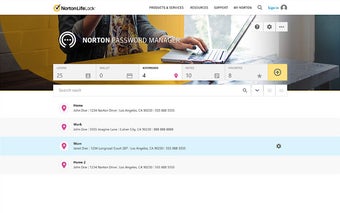
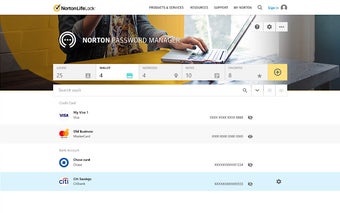
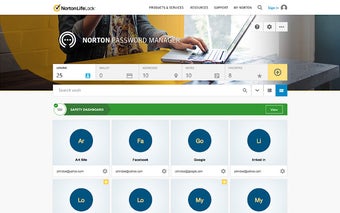
Norton Password Manager is a free security and privacy app developed by Gen Digital Inc. It is a password manager tool that helps users create, store, and manage passwords and other online credentials. This software stores passwords, bank card information, and other sensitive details in an encrypted online vault and can sync them across supported devices.
Top Recommended Alternative

Norton Password Manager provides several security and convenience features. Its built-in password generator creates complex passwords with customizable character options, and two-factor authentication adds another layer of account protection. Users can unlock the vault with Face ID, Touch ID, or Android fingerprint recognition on supported devices.
Convenient credential storage
Norton Password Manager simplifies password management by helping users create strong passwords and securely store them with other online credentials. Its Online Vault provides quick and secure access to saved passwords while keeping them protected. The Auto-Fill feature adds convenience by automatically retrieving usernames, passwords, and credit card information and filling them into supported websites with a click, reducing the need to remember and manually enter sensitive details.
In addition, this password manager uses encrypted storage to protect passwords and other sensitive information saved in its online vault—making the data more difficult for unauthorized users to access. It also supports two-factor authentication, which adds an extra verification step when signing in to the Password Manager. This additional security measure helps confirm the user’s identity and provides stronger protection against unauthorized access to stored credentials and personal information.
This software also offers convenient vault access through biometric authentication on supported devices. Apple users can use Touch ID or Face ID, while Android users can use their device’s fingerprint reader to unlock the vault. The Passwordless Vault Unlock feature also lets users unlock their vault on a desktop or notebook through the Norton Password Manager mobile app, eliminating the need to type the vault password when accessing saved information.
Built-in password generator
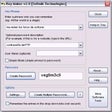
Norton Password Manager includes a built-in password generator that helps users create strong, complex, and unique passwords. Users can choose the password length and enable letters, mixed case, numbers, and punctuation based on their preferences. The generator can create multiple passwords using the same criteria and also supports number-only PINs. This feature simplifies password creation and helps users avoid weak or repetitive credentials across accounts.
This software is available for free on PC and mobile devices. It is also included with Norton AntiVirus Plus and Norton 360 security plans, providing password management alongside additional security and privacy protection for supported devices and accounts. However, it does not offer password sharing or digital legacy features to share access with trusted contacts or manage credentials after the user’s death.
Valuable password protection
Norton Password Manager is a useful security and privacy tool that simplifies password management through encrypted storage, Auto-Fill, two-factor authentication, biometric access, and passwordless vault unlocking. Its customizable password generator also helps users create strong and unique credentials, while free PC and mobile availability adds convenience. Take note, however, that Norton Password Manager does not offer password sharing or digital legacy features for managing credentials or granting trusted contacts access.